ClickUp vs Monday.com (2026)
Which Project Management Tool Is Better?

Choosing project management software can be surprisingly difficult.
At first glance, ClickUp and Monday.com look very similar.
Both platforms help teams organize projects, assign tasks, track deadlines, collaborate with coworkers, and build customized workflows.
Both also offer automation, dashboards, integrations, AI features, and multiple ways to visualize work.
So why choose one over the other?
The answer isn't simply about which platform has more features.
It's about how your business actually works.
ClickUp is built around a highly structured approach to work management. It gives you a deep hierarchy for organizing work and a large collection of features for managing complex projects, tasks, documents, goals, and workflows.
Monday.com takes a more visual and flexible approach. Its boards make it easy to see what is happening, who is responsible, and where work currently stands.
That difference becomes important as your business grows.
A small team managing a handful of projects may prefer Monday.com's visual simplicity.
A larger team handling complex workflows, dependencies, recurring tasks, and multiple layers of work may prefer ClickUp.
In this ClickUp vs Monday.com comparison, we'll look beyond the feature lists.
We'll compare the two platforms based on:
Project management
Task management
Ease of use
Workflow customization
Automation
Team collaboration
Dashboards and reporting
AI features
Documentation
Time tracking
Pricing
Pros and cons
Real-world business use cases
We'll also look at which platform makes more sense for agencies, startups, small businesses, and growing teams.
By the end, you'll have a much clearer idea of which one is right for your business.
ClickUp vs Monday.com: Quick Verdict
Overall Winner: ClickUp
Best for Complex Project Management: ClickUp
Best for Visual Project Management: Monday.com
Best for Task Management: ClickUp
Best for Ease of Use: Monday.com
Best for Workflow Customization: ClickUp
Best for Simple Team Collaboration: Monday.com
Best for Advanced Automation: ClickUp
Best for Dashboards and Reporting: ClickUp
Best for Beginners: Monday.com
Best for Growing Teams: ClickUp
My Overall Pick: ClickUp
If I were choosing one platform for a business that expects its project management needs to become more sophisticated over time, I'd choose ClickUp.
It offers more depth for teams that need detailed task management, dependencies, automation, reporting, and customizable workflows.
However, that doesn't mean Monday.com is the wrong choice.
For teams that value simplicity, visual organization, and a shorter learning curve, Monday.com can be the better platform.
The real question is:
Do you want more flexibility and depth, or a simpler and more visual experience?
Watch the Full Comparison
Want to see the differences in action? Watch the full ClickUp vs Monday.com comparison below to see how both platforms handle real business workflows, project management, task organization, automation, and team collaboration.
[ YouTube Video ]
ClickUp vs Monday.com at a Glance
Category | ClickUp | Monday.com |
|---|---|---|
Best For | Complex work and project management | Visual work management |
Project Management | ★★★★★ | ★★★★☆ |
Task Management | ★★★★★ | ★★★★☆ |
Ease of Use | ★★★★☆ | ★★★★★ |
Customization | ★★★★★ | ★★★★★ |
Automation | ★★★★★ | ★★★★☆ |
Team Collaboration | ★★★★★ | ★★★★★ |
Dashboards & Reporting | ★★★★★ | ★★★★☆ |
Documentation | ★★★★★ | ★★★★☆ |
Time Tracking | ★★★★★ | ★★★★☆ |
AI Features | ★★★★★ | ★★★★☆ |
Visual Workflows | ★★★★☆ | ★★★★★ |
Best for Beginners | ★★★★☆ | ★★★★★ |
Overall | ★★★★★ | ★★★★☆ |
Ratings are practical editorial ratings based on the platforms' strengths for each use case, not official ratings from either company.
What Is ClickUp?
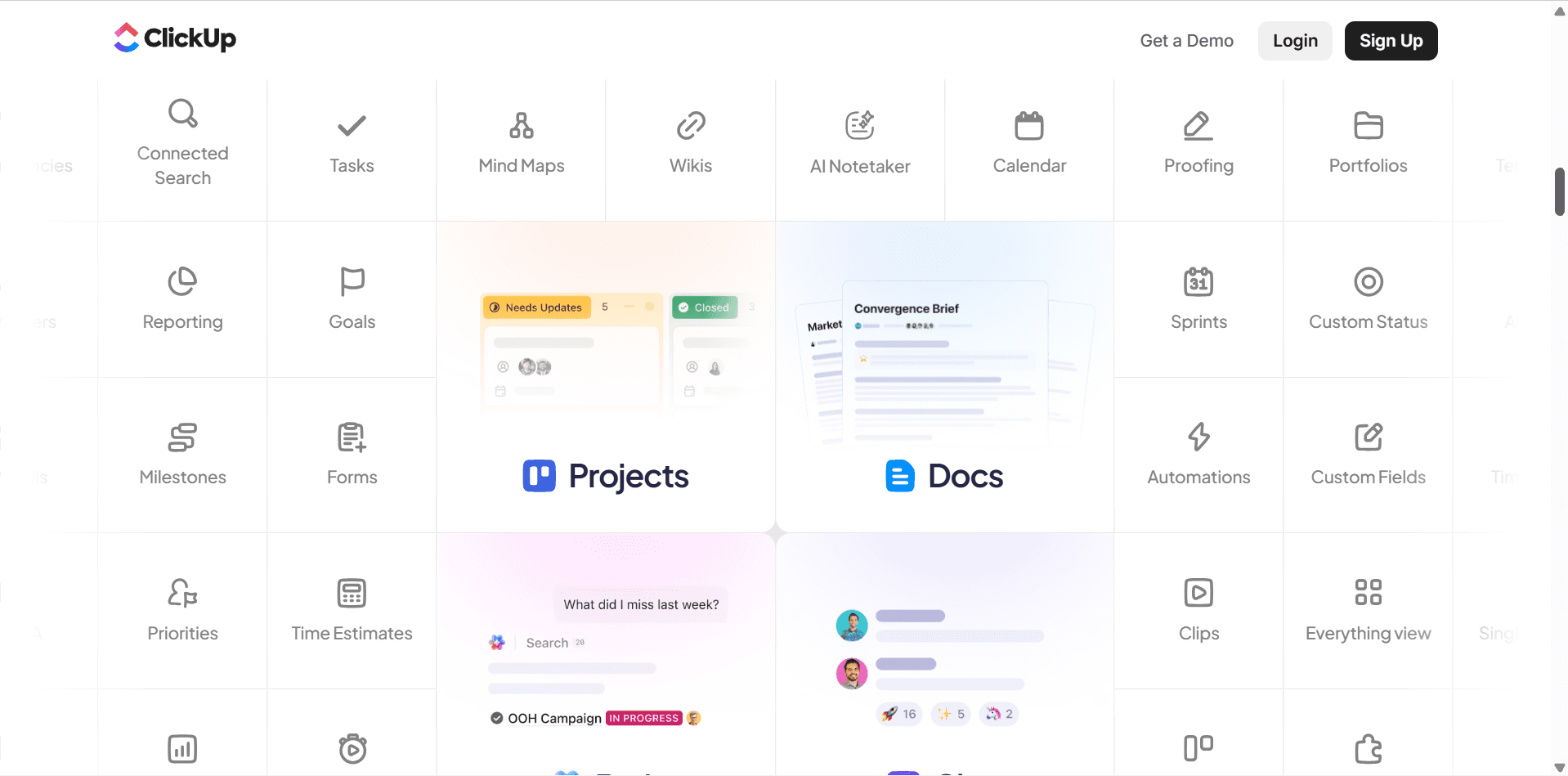
ClickUp is an all-in-one productivity and work management platform designed to help businesses organize and manage their work.
The platform combines many features that businesses traditionally use across multiple applications.
Depending on your plan and setup, you can use ClickUp for:
Project management
Task management
Team collaboration
Documents
Goals
Dashboards
Time tracking
Automations
Forms
Whiteboards
AI-powered productivity
One of ClickUp's biggest selling points is its depth.
You can start with a simple task list and eventually build a highly structured system for managing your entire business.
For example, a marketing agency could use ClickUp to manage:
Client projects
Content production
Campaigns
Team workloads
Deadlines
Approvals
Recurring tasks
A software company could use it to manage:
Product roadmaps
Development tasks
Bugs
Sprints
Product documentation
A small business could use it to organize:
Sales activities
Marketing
Operations
Internal projects
The platform's flexibility is one of its biggest strengths.
However, this is also where one of its biggest weaknesses comes from.
There are so many features and customization options that ClickUp can feel overwhelming when you're just getting started.
You may need to spend some time deciding how your Workspace, Spaces, Folders, Lists, and Tasks should be organized.
Once that structure is in place, however, ClickUp can become a powerful operational system for your business.
What Is Monday.com?
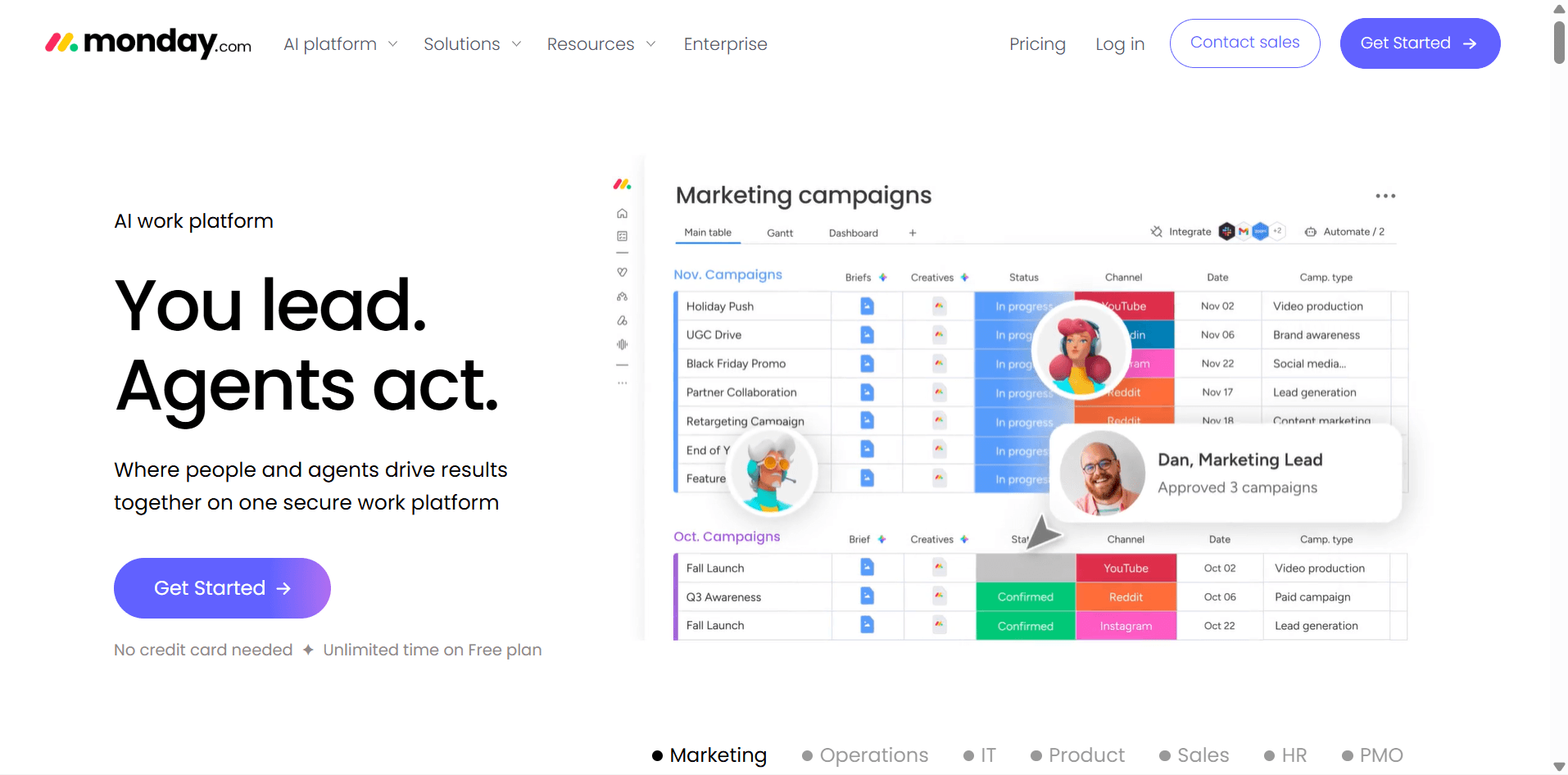
Monday.com is a work management platform that helps teams organize projects, tasks, processes, and workflows through highly visual boards.
The platform is known for its colorful and flexible interface.
Instead of presenting your work as a complicated hierarchy, Monday.com puts much of the focus on boards where you can see information at a glance.
You can use Monday.com to manage:
Projects
Marketing campaigns
Sales pipelines
Content calendars
Customer workflows
Employee onboarding
Product development
Business operations
For example, a marketing team could create a board with columns for:
Task
Owner
Status
Priority
Due date
The team can then see everything in one place.
Monday.com's visual approach is one of the reasons it is popular with teams that want to get started quickly.
The platform also allows businesses to customize their boards and create workflows that match their processes.
You can add different views, automate repetitive actions, connect integrations, and create dashboards to monitor your work.
The overall experience feels more approachable than many traditional project management platforms.
However, businesses with very complex workflows may eventually find that they need to spend more time customizing their system to handle advanced processes.
ClickUp vs Monday.com: The Biggest Difference
The easiest way to understand the difference is this:
Monday.com focuses on visual simplicity and flexible work management.
Neither approach is inherently better.
They simply suit different types of users.
Imagine you run a marketing agency with 20 employees.
You have:
30 active clients
Hundreds of tasks
Multiple project dependencies
Recurring workflows
Different teams
Complex approval processes
ClickUp's deeper project management structure may be more useful.
Now imagine you run a small creative agency with eight employees.
You want to see:
Who is doing what
Which projects are in progress
What's overdue
What's waiting for approval
You don't want your team to spend weeks learning a complicated system.
In that situation, Monday.com's visual interface may be more appealing.
The distinction is important because many businesses choose software based on the number of features it offers.
That's usually the wrong approach.
Instead, choose the platform that makes your team's actual daily work easier.
ClickUp vs Monday.com: Project Management
Winner: ClickUp
ClickUp Rating: ★★★★★ 4.9/5
Monday.com Rating: ★★★★☆ 4.6/5
Both platforms are capable project management tools.
The difference becomes more obvious when projects become complex.
ClickUp provides a detailed structure for organizing work.
You can organize your workspace into different levels and then manage tasks with:
Subtasks
Dependencies
Priorities
Custom fields
Assignees
Due dates
Recurring tasks
Multiple views
You can also visualize projects using different formats.
For example:
List
Board
Calendar
Timeline
Gantt
Workload
This makes ClickUp particularly useful for teams managing projects with many moving parts.
Imagine you're launching a new website.
Your project might include:
Research
↓
Content
↓
Design
↓
Development
↓
Testing
↓
SEO
↓
Launch
Each stage can contain multiple tasks and subtasks.
Some tasks may depend on others being completed first.
ClickUp is well suited to this kind of structured project.
Monday.com can handle the same project, but its approach is more centered around boards.
You might create a board containing:
Task | Owner | Status | Priority | Due Date |
|---|---|---|---|---|
Research | Sarah | Done | High | July 10 |
Website Copy | David | In Progress | High | July 15 |
Homepage Design | Emma | Review | Normal | July 18 |
Development | James | Not Started | High | July 25 |
This is incredibly easy to understand visually.
The trade-off is that ClickUp generally provides more depth when you need to manage complicated relationships between tasks and projects.
For straightforward project management, Monday.com is excellent.
For more complex project environments, ClickUp has the advantage.
Winner: ClickUp
ClickUp vs Monday.com: Task Management
Winner: ClickUp
ClickUp Rating: ★★★★★ 4.9/5
Monday.com Rating: ★★★★☆ 4.5/5
ClickUp is particularly strong when your business depends on detailed task management.
You can create tasks with:
Subtasks
Checklists
Dependencies
Priorities
Custom fields
Due dates
Assignees
Time estimates
Time tracking
Comments
Attachments
This allows teams to break large projects into smaller pieces of work.
For example:
Main Task: Launch Marketing Campaign
Subtasks:
Research target audience
Create campaign strategy
Write ad copy
Design graphics
Create landing page
Configure tracking
Launch campaign
Monitor results
You can then assign each piece of work to the appropriate team member.
Monday.com also handles task management well.
Its boards make it easy to see tasks and their current status.
A team member can quickly identify whether something is:
Not Started
Working on it
Stuck
Done
This visual approach is one of Monday.com's biggest advantages.
However, ClickUp offers more depth when tasks become complicated.
If your team needs to manage dependencies, subtasks, detailed task information, and complex workflows, ClickUp is the stronger choice.
If your team mainly needs a simple visual system for tracking work, Monday.com may be easier.
Winner: ClickUp
ClickUp vs Monday.com: Ease of Use
Winner: Monday.com
ClickUp Rating: ★★★★☆ 4.2/5
Monday.com Rating: ★★★★★ 4.8/5
This is where Monday.com takes the lead.
ClickUp has a lot of functionality.
That's great once you understand it.
But it also means there is more to learn.
New users may need time to understand:
Spaces
Folders
Lists
Tasks
Views
Custom fields
Automations
Dashboards
Monday.com's interface is generally more visual.
You can open a board and quickly understand what's happening.
For example, you might immediately see:
Task | Person | Status | Deadline
The visual structure makes it easier for new users to understand their responsibilities.
This can be particularly valuable for businesses that want to introduce project management software without spending a lot of time training employees.
However, simplicity isn't always better.
Some teams eventually need more advanced functionality.
In those cases, ClickUp's steeper learning curve may be worth the investment.
My Take
Choose Monday.com if you want your team to get started quickly.
Choose ClickUp if you're willing to invest more time learning the platform in exchange for deeper functionality.
Winner: Monday.com
ClickUp vs Monday.com: Customization
Winner: ClickUp
ClickUp Rating: ★★★★★ 4.9/5
Monday.com Rating: ★★★★★ 4.7/5
Both platforms are highly customizable.
But ClickUp generally gives you more control over the structure of your work.
You can customize:
Task statuses
Custom fields
Views
Workflows
Automations
Dashboards
Permissions
Task structures
This makes ClickUp useful for businesses with complex processes.
For example, a digital agency could create a standardized workflow for every new client.
New Client
↓
Onboarding
↓
Strategy
↓
Content
↓
Design
↓
Review
↓
Approval
↓
Launch
Each stage can have its own tasks, owners, deadlines, and automations.
Monday.com also allows you to build custom workflows using boards, columns, views, automations, and integrations.
Its approach is often easier for teams to understand visually.
But when you need to create a highly detailed operational system, ClickUp's deeper structure gives it an advantage.
Winner: ClickUp
ClickUp vs Monday.com: Automation
Winner: ClickUp
ClickUp Rating: ★★★★★ 4.8/5
Monday.com Rating: ★★★★☆ 4.6/5
Automation can save your team a significant amount of time.
Both platforms offer automation features that can handle repetitive work.
For example, you could create a rule that says:
When a task is marked complete → notify the project manager.
Or:
When a new project is created → create a standard set of tasks.
ClickUp's automation capabilities are particularly useful when they're connected to complex project workflows.
For example, a client onboarding process could automatically:
Create a new project.
Assign the account manager.
Create standard onboarding tasks.
Set deadlines.
Notify the team.
Move work through predefined stages.
Monday.com also handles automation well, particularly for teams that want straightforward rules connected to their boards.
For example:
When Status changes to Done → move item to Completed group.
Or:
When a deadline arrives → notify the owner.
Both are capable.
However, ClickUp's broader work management environment gives it a slight edge for businesses that want to automate more complicated operational workflows.
Winner: ClickUp
ClickUp vs Monday.com: Dashboards and Reporting
Winner: ClickUp
ClickUp Rating: ★★★★★ 4.8/5
Monday.com Rating: ★★★★☆ 4.6/5
Once your business starts managing multiple projects, simply looking at individual tasks isn't enough.
You also need to understand what's happening across the business.
Which projects are behind?
Which team members have too much work?
How many tasks were completed this week?
Which projects are at risk?
This is where dashboards become important.
ClickUp offers dashboards that can give managers a centralized view of project and team activity.
Depending on how you configure your dashboard, you can monitor:
Task progress
Project status
Team workload
Overdue work
Time tracking
Completed tasks
Upcoming deadlines
For example, a business owner might create a dashboard that shows:
Active Projects: 15
Overdue Tasks: 8
Completed This Week: 42
Projects at Risk: 3
This gives management a quick overview without opening every individual project.
Monday.com also offers dashboards that bring information from different boards together.
This is particularly useful when teams are managing multiple projects and want a visual overview.
Monday.com's dashboards are easy to understand and can be particularly useful for teams that prefer visual reporting.
However, ClickUp generally offers more depth for teams that need detailed operational reporting and workload management.
Winner: ClickUp
ClickUp vs Monday.com: Team Collaboration
Winner: Tie
ClickUp Rating: ★★★★★ 4.7/5
Monday.com Rating: ★★★★★ 4.7/5
Both platforms are designed to help teams work together.
You can assign tasks, communicate about work, share files, and track progress.
ClickUp's collaboration features are closely connected to its task management system.
Team members can communicate directly within tasks, mention colleagues, share files, and keep discussions connected to the work being completed.
For example, imagine a designer is working on a client's homepage.
Instead of sending a separate message saying:
"The client wants the headline changed."
The request can be added directly to the task.
The designer can then update the work, attach the new version, and mark the task for review.
The entire conversation stays connected to the project.
Monday.com offers a similar approach through its boards and work items.
Because information is presented visually, team members can quickly see who is responsible for what and what stage each task is in.
This makes Monday.com particularly useful for teams that want a simple shared view of their work.
I'd call this category a tie.
ClickUp has the advantage for detailed project collaboration.
Monday.com has the advantage for simple visual collaboration.
Winner: Tie
ClickUp vs Monday.com: Documentation
Winner: ClickUp
ClickUp Rating: ★★★★★ 4.8/5
Monday.com Rating: ★★★★☆ 4.3/5
Documentation is often overlooked when businesses choose project management software.
But once your company grows, you'll need somewhere to store information.
You may need documents for:
Standard operating procedures
Project briefs
Meeting notes
Training materials
Internal guidelines
Client information
Product documentation
ClickUp provides Docs that can be connected to your projects and workflows.
For example, your company could create a document called:
Client Onboarding SOP
The document could explain exactly how a new client should be onboarded.
Then your team could use ClickUp tasks to execute the process.
This creates a connection between:
Documentation
↓
Tasks
↓
Execution
Monday.com also provides documentation and work management capabilities, but its core experience is more focused on visual boards and workflows.
If your business wants a platform that combines project management with a deeper knowledge and documentation system, ClickUp has the advantage.
However, if documentation is the primary reason you're looking for software, you may still want to compare ClickUp with dedicated knowledge management platforms such as Notion.
Winner: ClickUp
ClickUp vs Monday.com: Time Tracking
Winner: ClickUp
ClickUp Rating: ★★★★★ 4.7/5
Monday.com Rating: ★★★★☆ 4.2/5
Time tracking is particularly important for businesses that bill clients by the hour or need to understand how much time employees spend on projects.
ClickUp includes time tracking capabilities that allow teams to record the time spent working on tasks.
This can be useful for:
Agencies
Consultants
Freelancers
Professional services
Client projects
For example, an agency could track how much time its team spends working on a client's monthly marketing campaign.
At the end of the month, the agency can review the time spent across different tasks and projects.
This can help answer questions such as:
Are we spending too much time on this client?
Is the project profitable?
Which tasks take the most time?
Are our estimates accurate?
Monday.com also supports time tracking, depending on the plan and setup.
However, ClickUp's task-centric approach makes time tracking feel more naturally connected to project management.
For businesses that need detailed time management alongside projects, I'd choose ClickUp.
Winner: ClickUp
ClickUp vs Monday.com: AI Features
Winner: ClickUp
ClickUp Rating: ★★★★★ 4.7/5
Monday.com Rating: ★★★★☆ 4.5/5
Both platforms are increasingly incorporating AI into their products.
The difference is how those AI features fit into the overall workflow.
ClickUp's AI capabilities can help users with tasks such as:
Writing content
Summarizing information
Creating task descriptions
Generating project updates
Extracting action items
Searching workspace information
Improving written communication
For example, imagine your team has a long project discussion.
AI can help summarize the conversation and identify important action items.
That can save team members from manually reviewing every message.
Monday.com also integrates AI capabilities into its work management experience.
These features can help teams generate content, summarize information, and streamline parts of their workflow.
For businesses that want AI deeply integrated into task and project management, ClickUp gets the edge.
However, AI features and availability can change as both platforms continue to develop their products.
If AI is a major factor in your purchasing decision, check the current features included in each plan before subscribing.
Winner: ClickUp
ClickUp vs Monday.com: Integrations
Winner: Tie
ClickUp Rating: ★★★★★ 4.7/5
Monday.com Rating: ★★★★★ 4.7/5
No project management platform operates in isolation.
Your business may already use tools for:
Email
Communication
File storage
CRM
Accounting
Marketing
Customer support
The ability to connect these tools can make a significant difference.
Both ClickUp and Monday.com offer integrations with popular business applications.
Depending on your setup, you may be able to connect your project management platform with tools your team already uses.
This means you can reduce the need to constantly switch between applications.
For example, a team could connect its project management workflow with communication and file-sharing tools.
The better choice will depend on the exact applications your business uses.
I wouldn't choose between ClickUp and Monday.com based only on the number of integrations listed on their websites.
Instead, make a list of your five most important business tools.
Then check whether both platforms support the specific integrations and features you need.
Winner: Tie
ClickUp vs Monday.com: Which Is Better for Agencies?
Winner: ClickUp
Agencies have a unique challenge.
They aren't managing just one project.
They may be managing ten, twenty, or even hundreds of projects for different clients.
Each client may have:
Different deadlines
Different workflows
Different team members
Different approval processes
ClickUp's deeper project management capabilities make it particularly attractive for agencies.
For example, a marketing agency could create a standardized client workflow:
Client Onboarding
↓
Strategy
↓
Content Production
↓
Design
↓
Internal Review
↓
Client Review
↓
Revisions
↓
Approval
↓
Publishing
The agency could then automate parts of this workflow.
Monday.com can also handle agency work very well.
Its visual boards make it easy for account managers to see what is happening across clients.
For smaller agencies, this simplicity may actually be an advantage.
However, once an agency has many clients and complex workflows, ClickUp's deeper project management features become more valuable.
My Pick
Small creative agency: Monday.com
Growing agency: ClickUp
Large agency with complex workflows: ClickUp
Winner: ClickUp
ClickUp vs Monday.com: Which Is Better for Startups?
Winner: Depends on the Startup
Startups typically need to move quickly.
They may be managing:
Product development
Marketing
Sales
Hiring
Fundraising
Operations
At the beginning, simplicity is often more important than having every possible feature.
This is where Monday.com can be attractive.
A small startup can create visual boards for different departments and quickly see what everyone is working on.
As the company grows, however, the need for more structured workflows increases.
ClickUp may become more attractive when the startup has:
Multiple teams
Complex projects
More employees
More dependencies
More automation requirements
My Pick
Early-stage startup: Monday.com
Growing startup: ClickUp
Product-focused startup: ClickUp
Startup prioritizing simplicity: Monday.com
ClickUp vs Monday.com: Which Is Better for Small Businesses?
Winner: Monday.com for simplicity, ClickUp for depth
Small businesses don't always need the most powerful software.
They need software that their employees will actually use.
Monday.com's visual interface can make it easier for a small team to get started.
You can create a board, add tasks, assign responsibilities, and start working without spending a significant amount of time designing a complicated system.
ClickUp can be a better choice if the business expects its workflows to become more complex.
For example, a growing service business might eventually need:
Detailed task management
Time tracking
Automations
Project dependencies
Reporting
Workload management
In that situation, ClickUp may provide more room to grow.
My Pick
Simple small business: Monday.com
Process-driven small business: ClickUp
Business with complex projects: ClickUp
Business prioritizing ease of adoption: Monday.com
ClickUp vs Monday.com: Which Is Better for Remote Teams?
Winner: Tie
Remote teams need visibility.
When employees aren't sitting in the same office, everyone needs to understand:
What needs to be done
Who is responsible
What's currently happening
What's blocked
What's due next
Both ClickUp and Monday.com can provide this visibility.
Monday.com's visual boards are particularly easy for teams to understand at a glance.
ClickUp provides more detailed project information and task management capabilities.
The best choice depends on your team's working style.
If your team wants a simple visual overview, Monday.com may be better.
If your team manages complex projects with dependencies and detailed tasks, ClickUp may be the stronger option.
Winner: Tie
ClickUp vs Monday.com: Pros and Cons
ClickUp Pros
Strong Project Management
ClickUp is highly capable when managing complex projects with multiple tasks, dependencies, and workflows.
Excellent Task Management
The platform provides deep task management capabilities that work well for teams handling detailed projects.
Powerful Customization
You can build workflows that closely match your company's processes.
Strong Automation
ClickUp can automate repetitive work and help teams reduce manual administrative tasks.
Excellent Reporting
Dashboards and reporting features help managers understand what is happening across projects and teams.
Built for Growth
The platform can scale from simple task management to more sophisticated business workflows.
ClickUp Cons
Steeper Learning Curve
New users may need time to understand the platform's structure and features.
Can Feel Overwhelming
There are many options, and inexperienced teams may struggle to decide how to organize their Workspace.
Requires More Setup
To get the most out of ClickUp, businesses often need to spend time designing their workflows.
Too Much for Simple Teams
If your team only needs a basic visual task board, ClickUp may offer more functionality than you actually need.
Monday.com Pros
Easy to Understand
The visual interface makes it relatively easy for new users to understand how work is organized.
Excellent Visual Workflows
Boards make it easy to see project status and responsibilities.
Strong Customization
Businesses can adapt boards to different workflows and departments.
Good for Team Adoption
The simpler interface can make it easier to introduce the platform to employees.
Useful Dashboards
Managers can get an overview of projects and work across different boards.
Flexible Use Cases
Monday.com can be used for project management, marketing, sales, operations, and other business workflows.
Monday.com Cons
Can Become Expensive as Teams Grow
Per-user pricing can become a significant cost as more employees are added, particularly for businesses that need advanced features.
Less Deep for Complex Project Management
Teams with very complicated project structures may find ClickUp better suited to their needs.
Board Structure Can Become Complicated
Large workspaces with many boards can become difficult to manage without clear organizational rules.
Advanced Features May Require Higher Plans
Some capabilities may only be available on more expensive plans.
ClickUp vs Monday.com: Pricing
Pricing is one of the most important factors when choosing business software.
The cheapest plan isn't always the best deal.
You also need to consider:
How many people will use the platform
Which features your team needs
Whether you need automation
Whether you need advanced reporting
Whether you need AI
How quickly your team is expected to grow
ClickUp offers a Free Forever plan, with paid plans that add more advanced functionality.
Monday.com also offers a Free plan alongside paid tiers designed for teams that need additional features.
Because software pricing and plan structures can change, businesses should check the current pricing pages before making a purchasing decision.
For your business, I would compare the plans based on your actual team size rather than simply comparing the advertised monthly price.
A platform that costs slightly more but gives your team everything it needs may be cheaper in the long run than choosing a cheaper plan and later adding several other tools.
ClickUp vs Monday.com: Which One Should You Choose?
Here's my simplest recommendation.
Choose ClickUp if:
You manage complex projects.
Your team needs advanced task management.
You need detailed workflows.
You rely on automation.
You want advanced reporting.
You need time tracking.
You expect your business to grow.
You're willing to invest time learning the platform.
You want a simpler interface.
Your team prefers visual project management.
You want employees to adopt the platform quickly.
Your workflows are relatively straightforward.
You want to see project status at a glance.
You prefer working primarily with visual boards.
My Final Verdict
Overall Winner: ClickUp
ClickUp: ★★★★★ 4.8/5
Monday.com: ★★★★☆ 4.6/5
ClickUp wins this comparison because it offers more depth for businesses that need a serious work management system.
Its task management, project structure, automation, dashboards, documentation, and customization options make it particularly attractive to growing teams and businesses with complex workflows.
But Monday.com is not far behind.
In fact, I would recommend Monday.com over ClickUp for some businesses.
If your team values simplicity and wants a visual system that employees can understand quickly, Monday.com may be the better choice.
The decision ultimately comes down to this:
Choose ClickUp if you want depth.
Choose Monday.com if you want simplicity.
For a small team that wants to start quickly, I'd lean toward Monday.com.
For a business that expects its project management requirements to become more complex, I'd choose ClickUp.
And if you're still unsure, I'd recommend testing both platforms with one real project before making your final decision.
Don't build a hypothetical workflow.
Take an actual project your team is currently working on.
Put it into ClickUp.
Then put the same project into Monday.com.
See which platform feels more natural.
The best project management tool isn't the one with the longest feature list.
It's the one your team can understand, adopt, and consistently use to get work done.
ClickUp vs Monday.com: A Practical Decision Guide
If you're still stuck between ClickUp and Monday.com, here's the easiest way to make the decision.
Don't start by asking:
"Which platform has more features?"
Instead, ask:
"What kind of work does my team need to manage every day?"
If your team spends most of its time managing detailed projects, coordinating dependencies, tracking individual tasks, and building repeatable workflows, ClickUp is probably the better fit.
If your team mainly needs to organize work visually, assign responsibilities, monitor progress, and quickly understand what's happening across projects, Monday.com may be the better option.
Here's a simple way to think about it.
Choose ClickUp if your business needs:
Detailed project management
Advanced task organization
Subtasks and dependencies
Complex workflows
Extensive automation
Time tracking
Detailed dashboards
Workload management
Strong documentation capabilities
A platform that can grow with complex operations
Choose Monday.com if your business needs:
A visual project management experience
Quick team adoption
Simple workflow management
Easy-to-understand boards
Flexible project tracking
Straightforward collaboration
A platform that doesn't require extensive training
ClickUp vs Monday.com: Which One Is Better for You?
Let's look at a few common scenarios.
If You're a Freelancer
My Pick: Monday.com
If you're working alone or with a very small team, you probably don't need a highly complex project management system.
Monday.com's visual approach can make it easy to manage:
Client projects
Deadlines
Content calendars
Deliverables
Invoices
Personal tasks
However, if you're a freelancer managing dozens of clients with complicated workflows, ClickUp may become more attractive.
If You Run a Marketing Agency
My Pick: ClickUp
Marketing agencies often have a lot of moving parts.
You might manage:
SEO
Content
Social media
Paid advertising
Email marketing
Graphic design
Each client may have a different workflow.
ClickUp's deeper task management and automation capabilities can help standardize those processes.
For example, you could create a repeatable client workflow that automatically generates tasks for every new campaign.
Monday.com can also work well for agencies, particularly smaller teams that prefer a visual approach.
But for larger and more complex agency operations, I'd lean toward ClickUp.
If You Run a Small Business
My Pick: Monday.com
For a small business that simply wants to organize work and keep everyone on the same page, Monday.com is often easier to introduce.
You can create a board for:
Marketing
Sales
Operations
Customer projects
Your team can quickly see what's happening without needing extensive training.
If your business has more complex processes, ClickUp may be worth the additional learning curve.
If You Manage a Large Team
My Pick: ClickUp
Larger teams usually need more than a simple task board.
They may need:
Detailed permissions
Complex project structures
Workload management
Advanced reporting
Automation
Time tracking
Multiple levels of task organization
This is where ClickUp's depth becomes more valuable.
However, Monday.com can still be a strong choice for large organizations that prioritize ease of adoption and visual management.
If Your Team Hates Complicated Software
My Pick: Monday.com
This is an important consideration that many software comparisons ignore.
The most powerful software in the world is useless if your team refuses to use it.
If your employees find complex project management platforms frustrating, Monday.com's visual interface may make adoption easier.
In some cases, a simpler platform that everyone actually uses is better than a more powerful platform that nobody wants to open.
ClickUp vs Monday.com: Which One Is Better for Project Managers?
My Pick: ClickUp
Project managers often need to see more than just task status.
They may need to understand:
Dependencies
Deadlines
Team workloads
Project risks
Time estimates
Task relationships
Progress across multiple projects
ClickUp's deeper project management capabilities make it a strong option for professional project managers.
Monday.com is still useful, especially for teams that prefer visual boards.
But if you're managing complicated projects with many moving parts, ClickUp is likely to give you more control.
ClickUp vs Monday.com: Which One Is Easier to Get Started With?
My Pick: Monday.com
If you have never used either platform before, Monday.com will probably feel easier at first.
You can create a board, add tasks, assign team members, and start working relatively quickly.
ClickUp takes more time to understand because its structure is deeper.
However, don't confuse easy to start with easy to scale.
Monday.com may be easier on day one.
ClickUp may give you more flexibility six months later when your business processes become more complicated.
This is an important distinction when choosing business software.
ClickUp vs Monday.com: Which One Has Better Long-Term Potential?
My Pick: ClickUp
If you're choosing software that you expect your business to use for years, I'd lean toward ClickUp.
The platform gives you room to build increasingly sophisticated workflows as your business grows.
You can start with basic tasks and eventually introduce:
Automations
Dashboards
Time tracking
Custom workflows
Dependencies
Documentation
Advanced project management
Monday.com also has plenty of room to grow.
But ClickUp's broader work management capabilities make it particularly attractive for businesses that expect their operations to become more complex.
A Simple Test Before You Choose
If you still can't decide, here's what I recommend.
Take one real project from your business.
Don't create a fake example.
Choose something your team is actually working on.
For example:
Website Redesign
Then set it up in both platforms.
Create the same:
Tasks
Subtasks
Deadlines
Assignees
Statuses
Dependencies
Then ask your team five questions:
Which platform was easier to understand?
Which platform was faster to set up?
Which platform made responsibilities clearer?
Which platform made it easier to track progress?
Which platform would you actually want to use every day?
The answers will probably tell you more than reading another 20 software comparison articles.
Your team is the one that has to live with the decision.
Final Verdict: ClickUp vs Monday.com
Overall Winner: ClickUp
ClickUp: ★★★★★ 4.8/5
Monday.com: ★★★★☆ 4.6/5
After comparing both platforms, ClickUp is my overall winner for businesses that need a powerful and flexible work management system.
It has the stronger combination of:
Project management
Task management
Automation
Reporting
Time tracking
Customization
Documentation
That makes it particularly well suited to growing businesses, agencies, project managers, and teams managing complex workflows.
Monday.com, however, wins when simplicity and visual organization are the priority.
Its interface is easier for many beginners to understand, and teams can often get started without spending as much time learning the platform.
So my final recommendation is:
Choose ClickUp if you need depth and advanced project management.
Choose Monday.com if you prioritize simplicity and visual workflows.
For a complex, process-driven business, I'd choose ClickUp.
For a small team that wants a straightforward visual system, I'd choose Monday.com.
Neither platform is universally better.
The right choice depends on how your team actually works.
And that's the most important thing to remember when comparing business software.
Don't choose the tool with the most features.
Choose the tool that helps your team do better work with less friction.
Frequently Asked Questions
Is ClickUp better than Monday.com?
ClickUp is generally better for businesses that need advanced project management, detailed task management, complex workflows, and extensive customization.
Monday.com may be better for teams that prioritize simplicity, visual organization, and quick adoption.
Which is easier to use, ClickUp or Monday.com?
Monday.com is generally easier for beginners to understand because of its visual board-based interface.
ClickUp has a steeper learning curve because it offers more depth and customization.
Is ClickUp cheaper than Monday.com?
Pricing depends on your team size, plan, and the features you need.
You should compare the specific plans based on your actual requirements rather than looking only at the advertised starting price.
Both platforms offer free options, but businesses that need advanced features will likely need a paid plan.
Can Monday.com replace ClickUp?
For many teams, yes.
Monday.com can handle project management, task tracking, collaboration, automation, and other business workflows.
However, teams that need more advanced project structures and detailed task management may prefer ClickUp.
Can ClickUp replace Monday.com?
Yes.
ClickUp can handle many of the same use cases as Monday.com, including project management, task tracking, collaboration, automation, and dashboards.
The main difference is that ClickUp generally offers a deeper and more structured approach to managing work.
Which is better for agencies, ClickUp or Monday.com?
I'd generally recommend ClickUp for larger or growing agencies with complex workflows.
Smaller agencies that prioritize simplicity and visual project management may prefer Monday.com.
Which is better for startups?
It depends on the startup's stage.
Early-stage startups may appreciate Monday.com's simplicity.
As a startup grows and its workflows become more complex, ClickUp may provide more flexibility.
Which is better for remote teams?
Both can work well for remote teams.
Monday.com is excellent for visualizing work and responsibilities, while ClickUp provides more detailed project and task management.
Can I use ClickUp and Monday.com together?
Technically, yes, but I generally wouldn't recommend it unless you have a very specific reason.
Using two project management platforms can create duplicate information and make it harder for your team to know where work should be managed.
In most cases, it's better to choose one platform as your primary system.
Related Articles
ClickUp Tutorial: How to Use ClickUp in 2026
Monday.com Tutorial: How to Use Monday.com in 2026
ClickUp vs Notion: Which Is Better for Your Business?
Monday.com vs Notion: Which Is Better for Your Business?
Best Project Management Software in 2026


