How to Use Interact to Generate Leads
A Step-by-Step Guide

Getting someone to visit your website is one thing.
Getting them to give you their email address is another.
You can put a traditional newsletter signup form on your website, offer a PDF, or add a popup asking visitors to subscribe.
But there's a problem with many of these approaches:
You're asking for the email address before giving the visitor much reason to hand it over.
This is where I think interactive quizzes become interesting.
Instead of saying:
"Enter your email to get my free guide."
You can give someone something they actually want to know.
For example:
"Which Email Marketing Platform Is Right for Your Business?"
or:
"What Type of Online Business Should You Start?"
or:
"How Ready Is Your Business for AI Automation?"
The visitor answers a series of questions, receives a personalized result, and you can invite them to continue the conversation by email.
That's where Interact comes in.
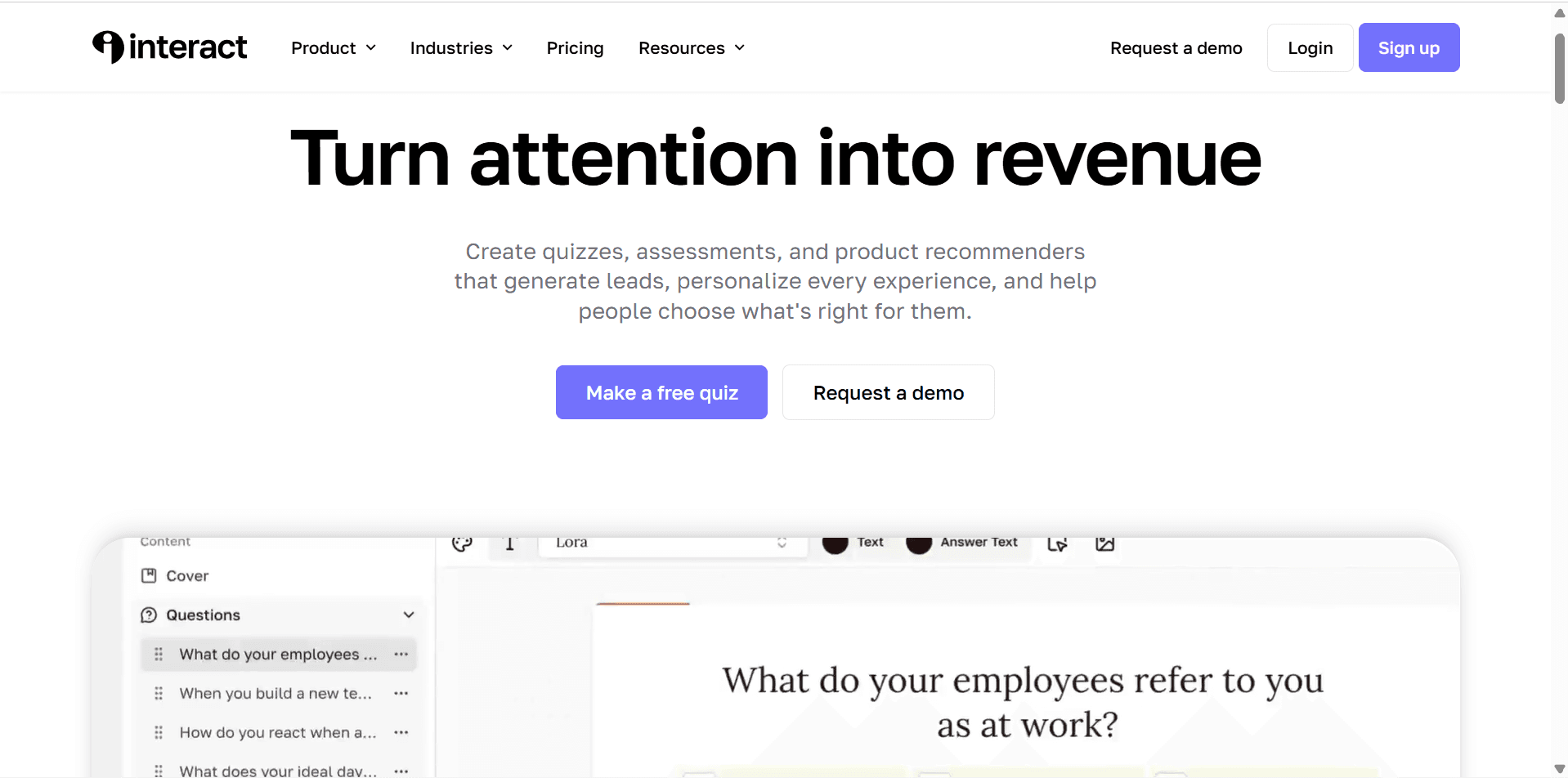
Interact is a quiz-building platform designed specifically around lead generation, engagement, segmentation, and personalized recommendations. It supports lead capture directly inside the quiz and can send quiz data to email marketing platforms for segmentation and follow-up.
And this is the part I want to focus on in this tutorial.
I'm not going to show you how to create a quiz simply for the sake of having one on your website.
I'll show you how I'd build an Interact quiz as part of a lead-generation system.
The basic workflow looks like this:
Website Visitor
↓
Interactive Quiz
↓
Personalized Result
↓
Email Capture
↓
Audience Segmentation
↓
Personalized Email Sequence
↓
Relevant Offer
That's where a quiz can become much more than an interactive piece of content.
Before You Build the Quiz, Decide What You Want the Lead to Do
This is the first thing I'd figure out.
Don't open Interact and immediately start writing questions.
First ask:
What happens after someone becomes a lead?
For example, if you're an email marketing consultant, you might want someone to take:
"Which Email Marketing Platform Is Right for You?"
Their result could recommend:
MailerLite
Brevo
Kit
ActiveCampaign
Then you could use their result to determine which email sequence they receive.
Someone who gets a MailerLite recommendation shouldn't necessarily receive exactly the same follow-up as someone who gets an ActiveCampaign recommendation.
That's the real power of this approach.
You're not just collecting email addresses.
You're learning something about the person who gave you their email address.
Interact supports sending quiz results and answers to email marketing platforms, allowing you to use that information for segmentation and automation.
Step 1: Choose a Quiz Topic Your Audience Actually Wants to Answer
This is probably the most important part of the entire process.
A quiz shouldn't be created because you think:
"My website needs a quiz."
It should be created because your audience has a question they want answered.
Interact recommends creating quizzes around what your audience actually wants to know, rather than focusing only on what the business wants to get from the quiz.
That's a distinction I really like.
For example, don't create:
"Our Business Services Quiz"
Create something more useful:
"Which Marketing Strategy Is Right for Your Business?"
Don't create:
"Our Product Quiz"
Create:
"Which Product Is Right for You?"
The second approach gives the visitor a reason to participate.
Step 2: Choose the Result You Want to Give Them
Before writing your questions, I'd work backwards from the results.
Let's say we're creating:
"Which Email Marketing Platform Is Right for You?"
We might have four results:
Result 1: MailerLite
Best for someone who wants an easy-to-use email marketing platform.
Result 2: Brevo
Best for someone who wants email marketing combined with broader customer communication and automation.
Result 3: Kit
Best for creators and newsletter-focused businesses.
Result 4: ActiveCampaign
Best for businesses that need more advanced automation.
Now we have something useful.
The questions simply need to help determine which result makes the most sense for each person.
Step 3: Write Questions That Help You Understand the Lead
This is where your quiz starts becoming a lead-generation tool rather than just entertainment.
You want your questions to reveal information that is actually useful.
For example:
Question 1
What type of business do you run?
E-commerce
Service business
Creator business
SaaS
Other
Question 2
How large is your email list?
I'm just starting
Under 1,000 subscribers
1,000–10,000
10,000+
Question 3
What matters most to you?
Simplicity
Automation
Selling products
Growing a newsletter
Question 4
How advanced do you want your automation to be?
Keep it simple
Some automation
Advanced automation
I want to automate almost everything
Notice what we're doing here.
We're asking questions that help the visitor get a recommendation while also giving us information that can be used for segmentation.
That's a much more useful exchange than simply asking:
"What's your email address?"
Step 4: Build the Quiz in Interact
Once you've planned your quiz, you can build it inside Interact.
You can start from a template or create your quiz from scratch, and Interact also offers AI-assisted quiz creation.
I'd keep the first version relatively short.
You don't need 30 questions.
If someone has to spend ten minutes completing your quiz before they see the result, there's a good chance you'll lose people along the way.
Focus on questions that actually help determine the outcome.
A simple structure could be:
Introduction
↓
5–8 questions
↓
Email capture
↓
Personalized result
That's enough for a first version.
Step 5: Turn On Lead Generation
Now we get to the part that turns the quiz into a lead-generation tool.
Inside the Interact quiz builder, go to Lead Generation and turn it on.
You'll then be able to configure the information you want to collect through the opt-in form. Interact's current documentation recommends keeping the form relatively simple, with first name and email being the typical starting point.
I'd follow that advice.
Don't ask for:
First name
Last name
Phone number
Company
Job title
Website
Address
Industry
Company size
unless you genuinely need that information.
Every additional field creates another reason for someone to abandon the form.
For most lead-generation quizzes, I'd start with:
First Name
Email Address
That's it.
Step 6: Give Them the Result
Here's something I think is extremely important:
Don't make the email opt-in feel like a ransom.
Someone has just spent time answering your questions.
They expect something useful in return.
Interact recommends giving quiz takers the result they want immediately and then using email to provide additional value related to that result.
So don't do this:
"Enter your email to discover your result."
Then send a generic sales email.
Instead:
Enter your email → receive your personalized result → get additional useful information by email.
For example:
Your result: MailerLite
Based on your answers, MailerLite is likely to be a good fit if you want an easy-to-use email marketing platform without a complicated setup.
Then give them useful next steps.
That's how you build trust.
Step 7: Connect Interact to Your Email Marketing Platform
This is where the workflow becomes much more powerful.
Interact supports integrations with email marketing platforms so quiz leads and quiz data can be sent into your email system. Its current documentation includes integrations for platforms such as Mailchimp, MailerLite, Klaviyo, beehiiv, and others, with Zapier available for additional connections.
The basic setup becomes:
Quiz Result: MailerLite
→ Email platform
→ MailerLite tag
→ MailerLite-focused email sequence
While:
Quiz Result: Brevo
→ Email platform
→ Brevo tag
→ Brevo-focused email sequence
Now your quiz isn't simply generating leads.
It's helping you organize and qualify those leads.
Step 8: Test Everything Before Sending Traffic
I'd strongly recommend doing this before publishing the quiz.
Take the quiz yourself.
Test every possible result.
Check:
Does the quiz calculate the correct result?
Does the opt-in form work?
Does the email arrive?
Is the correct tag applied?
Is the correct automation triggered?
Does the result match the email?
Does the link in the email work?
Interact provides a testing process for integrations so you can send a test lead before publishing your quiz.
Don't skip this.
A quiz might look perfect from the visitor's perspective while sending the wrong information into your email platform behind the scenes.
The Lead Generation System We're Building
At this point, your system should look something like this:
Visitor lands on your website
↓
Sees your quiz
↓
Takes quiz
↓
Answers questions
↓
Provides email
↓
Receives personalized result
↓
Gets segmented based on result
↓
Receives relevant email sequence
↓
Gets relevant recommendation or offer
That's a much more sophisticated lead-generation system than a basic newsletter signup form.
And the important part is that the visitor gets something useful along the way.
What I'd Do Next
I wouldn't stop after creating the quiz.
The next step is to connect the quiz to the rest of your marketing system.
For example:
Quiz Result
→ Email Segment
→ Welcome Email
→ Personalized Recommendation
→ Educational Content
→ Relevant Product or Service
→ Follow-Up
That's where the real value of Interact starts to become apparent.
In the next part, we'll build out the quiz-to-email workflow, including how I'd segment leads based on their quiz results and create personalized follow-up sequences instead of sending every subscriber the same emails.
Part 2: Turn Interact Quiz Results Into Personalized Email Campaigns
Getting someone to complete your quiz is only the beginning.
The real value comes from what happens after they submit their email address.
If 500 people take your quiz and every person receives the exact same email sequence, you're leaving a lot of useful information on the table.
You've already asked them questions.
You know something about them.
You know what result they received.
So I'd use that information to make the follow-up more relevant.
The workflow I'm aiming for is:
Quiz → Result → Segment → Email Sequence → Relevant Offer
That's where Interact becomes much more than a quiz builder.
Step 9: Connect Each Quiz Result to a Segment
Let's continue with our example:
"Which Email Marketing Platform Is Right for Your Business?"
Suppose someone receives:
MailerLite
You could add them to a MailerLite-related segment.
Someone else gets:
Brevo
They go into a Brevo segment.
Another person gets:
Kit
They go into a Kit segment.
Now you have different groups of leads based on what they told you.
I'd keep the segmentation simple at first.
For example:
Quiz Result | Segment |
|---|---|
MailerLite | MailerLite Interest |
Brevo | Brevo Interest |
Kit | Kit Interest |
ActiveCampaign | ActiveCampaign Interest |
Interact can pass quiz results and answers into connected email marketing platforms, allowing you to use those results for segmentation and follow-up. Interact Help Center
You don't need to create dozens of complicated segments.
Start with the information that actually changes the conversation.
Step 10: Create a Welcome Email for Each Result
Now I'd create a different first email for each result.
Let's say someone gets:
MailerLite
Instead of sending:
"Thanks for taking our quiz!"
I'd make the email directly related to their result.
For example:
Subject: Your email marketing recommendation
Hi [First Name],
Based on your answers, MailerLite looks like a strong option if you're looking for an email platform that's relatively straightforward to set up.
Here are three things I'd recommend doing first:
Create your subscriber list.
Set up your first signup form.
Build a simple welcome sequence.
Then link them to a useful tutorial.
The goal isn't to immediately sell.
Help first. Sell when there's a logical reason to sell.
That's especially important if your website is built around software tutorials and reviews.
You're building trust by helping the reader make a better decision.
Step 11: Don't Make Every Email a Sales Pitch
This is where I'd be careful.
Once someone becomes a lead, it's tempting to immediately start sending affiliate links or promotional emails.
I wouldn't build the sequence that way.
Instead, I'd use a simple structure:
Teach → Help → Recommend → Follow Up
For example:
Email 1 — Your Result
Explain their quiz result.
Email 2 — Getting Started
Show them how to solve their first problem.
Email 3 — Common Mistakes
Explain what beginners often get wrong.
Email 4 — Tutorial
Give them a practical walkthrough.
Email 5 — Recommendation
Explain which tool or solution you'd choose and why.
Email 6 — Next Step
Give them another useful resource or relevant offer.
This creates a much more natural relationship.
Step 12: Use Quiz Answers for More Than the Final Result
Here's where I think you can make the system more sophisticated.
Don't only look at the final quiz result.
Look at the answers themselves.
Imagine two people both receive:
MailerLite
But their answers are different.
Person A says:
"I'm just starting my business."
Person B says:
"I have 20,000 subscribers."
Those people probably shouldn't receive exactly the same advice.
If your email platform supports the relevant fields or tags, you can use additional quiz information to make your segmentation more useful.
For example:
Business stage
→ Beginner
→ Growing
→ Established
And:
Email list size
→ Starting
→ Small
→ Medium
→ Large
Now you can potentially combine those characteristics.
For example:
MailerLite + Beginner
could receive beginner-focused content.
While:
MailerLite + Established
could receive more advanced automation content.
Interact supports passing quiz answers along with lead information to supported integrations, which is what makes this type of segmentation possible. Interact quiz-data documentation
Step 13: Build a Simple Automated Workflow
You don't need a complicated marketing automation system.
I'd start with something like this:
Visitor
↓
Takes Interact Quiz
↓
Enters Email
↓
Receives Result
↓
Added to Email Segment
↓
Welcome Email
↓
Educational Email
↓
Tutorial
↓
Recommendation
↓
Follow-Up
Once this is working, you can add more sophisticated automation.
For example:
If they click the tutorial
→ Send related content.
If they don't open the email
→ Send a different subject line.
If they click an affiliate recommendation
→ Move them into a more relevant sequence.
The exact automation will depend on the email marketing platform you're connecting to.
That's why I wouldn't build the most complicated workflow first.
Get the basic system working before optimizing it.
Step 14: Create a Result Page That Actually Helps
Your quiz result page shouldn't simply say:
"You got MailerLite!"
Give the person something useful.
I'd structure the result page like this:
Your Recommended Platform: MailerLite
Why It Fits You
Explain why their answers led to this recommendation.
What You Can Do With It
Give them a few practical use cases.
Where I'd Start
Give them three specific actions.
Learn How to Use It
Link to your tutorial.
Want to Go Further?
Link to your review or comparison.
This is a great opportunity to connect your content together.
For example:
Quiz
→ Result Page
→ MailerLite Tutorial
→ MailerLite Review
→ MailerLite vs Brevo
Now one lead-generation quiz can introduce visitors to several pieces of useful content on your site.
Step 15: Use Your Quiz as a Content Funnel
This is where I'd take the strategy one step further.
Your quiz doesn't have to live on one landing page.
You can promote it throughout your website.
For example, if you publish an article about email marketing, you could include:
Not sure which email marketing platform is right for you? Take our free quiz and get a personalized recommendation.
Someone reading about email marketing now has a natural next step.
You could also promote the quiz through:
YouTube videos
Blog articles
Homepage
Email newsletters
Social media
Lead magnets
Comparison articles
The same quiz becomes a reusable lead-generation asset.
Step 16: Track What Happens After the Quiz
Getting more quiz completions is useful.
But I'd pay even more attention to what happens afterward.
You want to know things such as:
How many people start the quiz?
How many finish it?
How many provide their email?
Which results are most common?
Which emails get opened?
Which links get clicked?
Which segments eventually convert?
This helps you identify where the actual problems are.
For example, if lots of people start the quiz but very few finish it, your quiz may be too long.
If lots of people finish but few provide their email, your opt-in step may need improvement.
If people subscribe but don't engage with your emails, your follow-up may not be relevant enough.
Don't optimize blindly.
Use the data to figure out where the funnel is losing people.
The Complete Interact Lead Generation Workflow
At this point, we've built something much more useful than a simple quiz.
Here's the system:
Traffic
↓
Interact Quiz
↓
Questions
↓
Personalized Result
↓
Email Capture
↓
Segmentation
↓
Personalized Email Sequence
↓
Educational Content
↓
Product or Service Recommendation
↓
Follow-Up
↓
Conversion
And that's the real reason I'd consider using Interact.
The quiz is only the front end.
The real value is the information you collect and what you do with it afterward.
What I'd Improve Once the System Is Working
Once you've collected enough leads, I'd start looking for patterns.
Maybe most people are choosing one result.
Maybe one quiz question isn't helping distinguish between results.
Maybe one email sequence is producing much better engagement.
Maybe one segment is converting significantly better than another.
That's when I'd start experimenting.
You could test:
Different quiz titles
Different questions
Different result pages
Different opt-in copy
Different email sequences
Different calls to action
Different recommendations
But I'd make one change at a time.
Otherwise, you won't know what actually improved the results.
One Important Lesson
The biggest mistake I'd avoid with Interact is treating the quiz as the entire lead-generation strategy.
The quiz gets the person's attention.
The result provides value.
The segmentation gives you context.
The email sequence builds the relationship.
The offer creates the opportunity to make money.
That's the complete system.
And if you build each part properly, the quiz becomes much more than an interactive widget sitting on your website.
It becomes a lead-generation funnel that learns something about every person who enters it.
Part 3: How to Optimize Your Interact Lead Generation Quiz
Once your Interact quiz is live and you're collecting leads, I wouldn't immediately start adding more questions, more automations, or more complicated funnels.
I'd first look at what's already happening.
A lead-generation quiz has several points where people can drop off:
Visitor → Quiz Start → Quiz Completion → Email Signup → Result → Email Engagement → Conversion
If you don't know where people are dropping off, it's difficult to know what to improve.
The good news is that you don't need to rebuild the entire funnel.
Small changes can make a big difference.
Keep the Quiz Short
One of the first things I'd look at is the number of questions.
Your quiz doesn't need to feel like an application form.
If someone is answering question after question after question, they may lose interest before reaching the result.
I'd start with around 5–8 useful questions and only add more if they genuinely improve the recommendation.
Every question should have a purpose.
Ask yourself:
Does this question help determine the result?
or:
Does this question give me information that I'll actually use later?
If the answer is no, I'd remove it.
Make the Quiz Title About the Result
Your title is one of the first things people see.
Compare:
Take Our Marketing Quiz
with:
Which Email Marketing Platform Is Right for Your Business?
The second one immediately tells the visitor what they're going to get.
That's what I'd aim for.
Your quiz title should communicate:
What will I learn?
Why should I care?
What's in it for me?
Some examples:
Software
Which CRM Is Right for Your Business?
Marketing
What's Your Best Lead Generation Strategy?
Ecommerce
Which Ecommerce Platform Fits Your Business?
AI
Which AI Tools Should Your Business Be Using?
The best quiz isn't necessarily the cleverest one.
It's the one where the visitor immediately understands the benefit.
Make the Result Feel Personal
This is one of the biggest advantages of an interactive quiz.
You can make the result feel like it was created specifically for the person who completed it.
Instead of:
You got Result #2.
I'd write something like:
Based on your answers, you're probably looking for a platform that's easy to manage without sacrificing the ability to automate your email marketing.
Then explain why the recommendation makes sense.
You can follow that with:
Why this fits you
What I'd do next
What to avoid
Useful resources
That turns the result into a mini consultation rather than a generic quiz score.
Don't Hide the Value Behind the Email Form
I'd also be careful about when you ask for the email address.
There's a temptation to make the result completely inaccessible until someone submits their email.
That can work in some situations, but it can also feel like you're holding the answer hostage.
A better approach is to make the value exchange obvious.
For example:
Get your personalized recommendation and a step-by-step action plan sent to your inbox.
Now the visitor understands what they're getting in exchange for their email.
Interact supports lead capture within quizzes and allows you to customize the lead-generation form and messaging. Interact Help Center
Give People a Useful Next Step
Don't let your result page become a dead end.
If someone receives a recommendation, tell them what to do next.
For example:
Your Result: Brevo
Then:
Start here: Learn how to create your first email campaign.
Link to your tutorial.
Then:
Want to compare it with another option?
Link to:
Brevo vs MailerLite
Then:
Still deciding?
Link to:
Best Email Marketing Software
Now the quiz becomes part of your website's wider content ecosystem.
This is particularly useful for an affiliate-focused site because you're not forcing a recommendation immediately.
You're helping the visitor make a better decision.
Build Your Quiz Around a Real Business Problem
I'd also revisit the purpose of the quiz every few months.
The best quizzes solve a decision problem.
For example:
Which software should I use?
Which strategy should I choose?
What type of product should I sell?
What marketing approach should I use?
Which service is right for me?
That's much stronger than a quiz that exists purely for entertainment.
For your website, this is especially relevant.
You could create quizzes that help visitors choose software.
For example:
Project Management Quiz
Which Project Management Tool Is Right for You?
Potential results:
ClickUp
monday.com
Notion
Asana
Email Marketing Quiz
Which Email Marketing Platform Should You Use?
Potential results:
Brevo
MailerLite
beehiiv
Kit
CRM Quiz
Which CRM Is Right for Your Business?
Potential results:
HubSpot
Pipedrive
Zoho
Now the quiz itself becomes useful content.
Connect the Quiz to Your Content Strategy
This is something I'd definitely do if I were building your site.
Don't create a quiz and leave it sitting on one page.
Use it throughout your content.
Imagine someone reads:
ClickUp vs monday.com
At the end of the article, you could offer:
Still not sure which project management tool fits your business? Take our free quiz.
They take the quiz.
Their answers point toward ClickUp.
They then receive:
ClickUp Tutorial
ClickUp Review
ClickUp Workflow Guide
Now you've moved the reader from:
Comparison
to
Personalized recommendation
to
Tutorial
That's a much stronger user journey.
Use YouTube to Drive People Into the Quiz
Your YouTube content can do the same thing.
For example, imagine you publish:
ClickUp Tutorial for Beginners
During the video, you could mention:
"If you're still trying to figure out which project management tool is right for your business, I've linked a free quiz below."
The viewer goes from:
YouTube
→ Quiz
→ Personalized Result
→ Website
→ Tutorial
Now your video isn't just generating views.
It's feeding your lead-generation system.
And the same works in reverse.
Your article can embed your YouTube tutorial.
So you have:
Google → Article → Video → Quiz → Email
and:
YouTube → Article → Quiz → Email
That's the kind of connected content system I'd build.
Create Different Offers for Different Leads
Once your segmentation is working, you can become more specific with your recommendations.
For example:
Beginner
Recommend:
Beginner Tutorial
Growing Business
Recommend:
Automation Guide
Advanced User
Recommend:
Advanced Workflow
This doesn't necessarily mean creating three completely different businesses.
You can simply change the next step based on what the person told you.
That's what makes the quiz valuable.
You're using the information the visitor voluntarily gave you to make the experience more relevant.
Don't Over-Automate the Relationship
There's one thing I'd be careful about.
Just because Interact can pass information into your email marketing system doesn't mean you should create a 25-step automation sequence.
Start small.
I'd rather have:
Quiz
→ Welcome Email
→ Useful Tutorial
→ Helpful Recommendation
than:
Quiz
→ 17 tags
→ 9 conditions
→ 6 sequences
→ 12 automated emails
that you can't even remember how you built.
Your automation should make your marketing easier.
If you're constantly maintaining the automation, you've probably made it too complicated.
Measure the Right Numbers
Once your quiz has enough traffic, I'd pay attention to a few key numbers.
Quiz Start Rate
How many visitors actually begin the quiz?
If this is low, your quiz offer or placement may need work.
Completion Rate
How many people who start actually finish?
If this is low, look at your questions and quiz length.
Lead Capture Rate
How many completed quizzes result in an email signup?
This tells you whether the value exchange is compelling.
Email Engagement
Are people opening and clicking your follow-up emails?
If not, your segmentation or content may need improvement.
Conversion Rate
Most importantly:
Are these leads actually becoming customers?
Because that's ultimately what matters.
A quiz that generates 10,000 email addresses but zero customers isn't necessarily a successful lead-generation campaign.
The Interact Workflow I'd Recommend
If I were putting this together from scratch, I'd keep the system relatively simple:
1. Create a quiz around a real decision
↓
2. Keep it short
↓
3. Give the visitor a personalized result
↓
4. Ask for their email with a clear value exchange
↓
5. Send the result to your email platform
↓
6. Segment the lead
↓
7. Send relevant educational content
↓
8. Recommend the next logical step
↓
9. Track conversions
↓
10. Improve the weakest part of the funnel
That's enough to build a genuinely useful lead-generation system.
You don't need to over-engineer it.
Final Takeaway
The biggest lesson I'd take from using Interact is that the quiz itself isn't the strategy.
The quiz is the entry point.
The real strategy is everything that happens afterward.
You learn something about the visitor.
You use that information to give them a more relevant result.
You segment them based on what they've told you.
You follow up with useful information.
And eventually, you give them a relevant product, service, or recommendation.
That's why I think Interact is particularly interesting for businesses that want to move beyond generic lead magnets.
Instead of simply asking:
"Do you want our free guide?"
you're starting a conversation with:
"Tell us what you're trying to accomplish, and we'll help you figure out the right next step."
And when the quiz, email sequence, content, and offer all work together, that's when Interact becomes a real part of your lead-generation system rather than just another form on your website.


